Software for preclinical & clinical research
Your whole study.
One file.
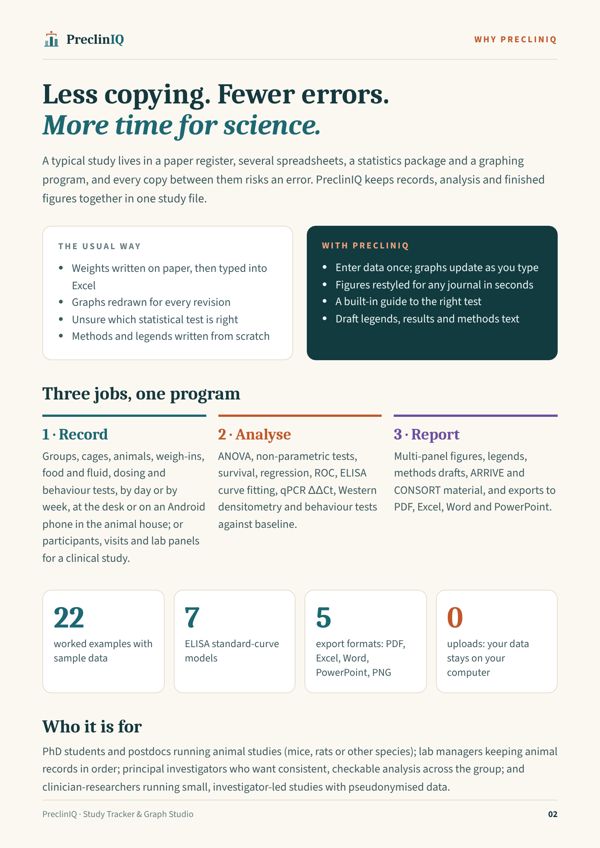
Record animals and participants, analyse every assay, and export journal-ready figures, all in one desktop program that keeps your data on your own computer.
Windows and Mac · works offline · free 14-day trial
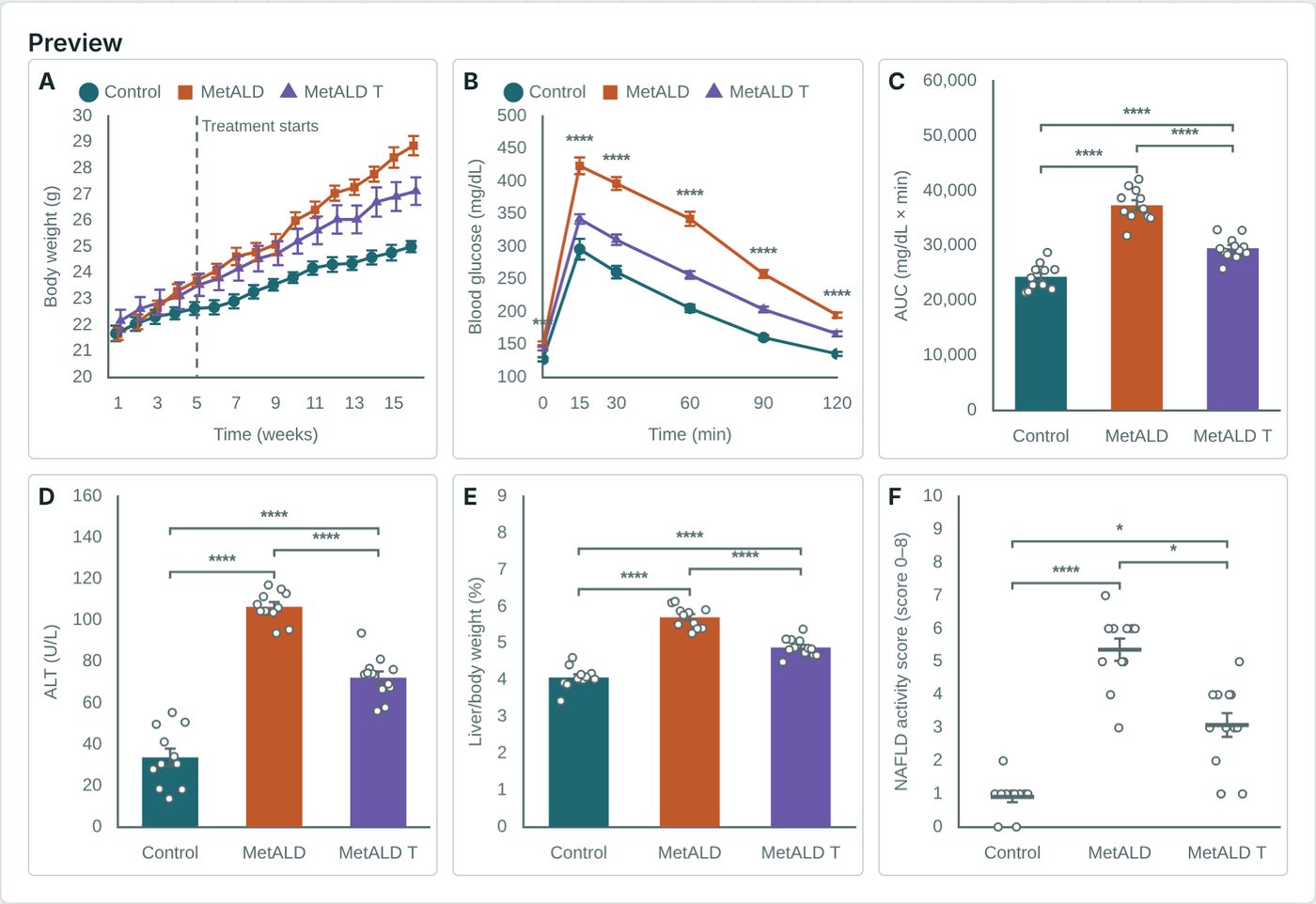
See it work
From a weigh-in to a finished report.
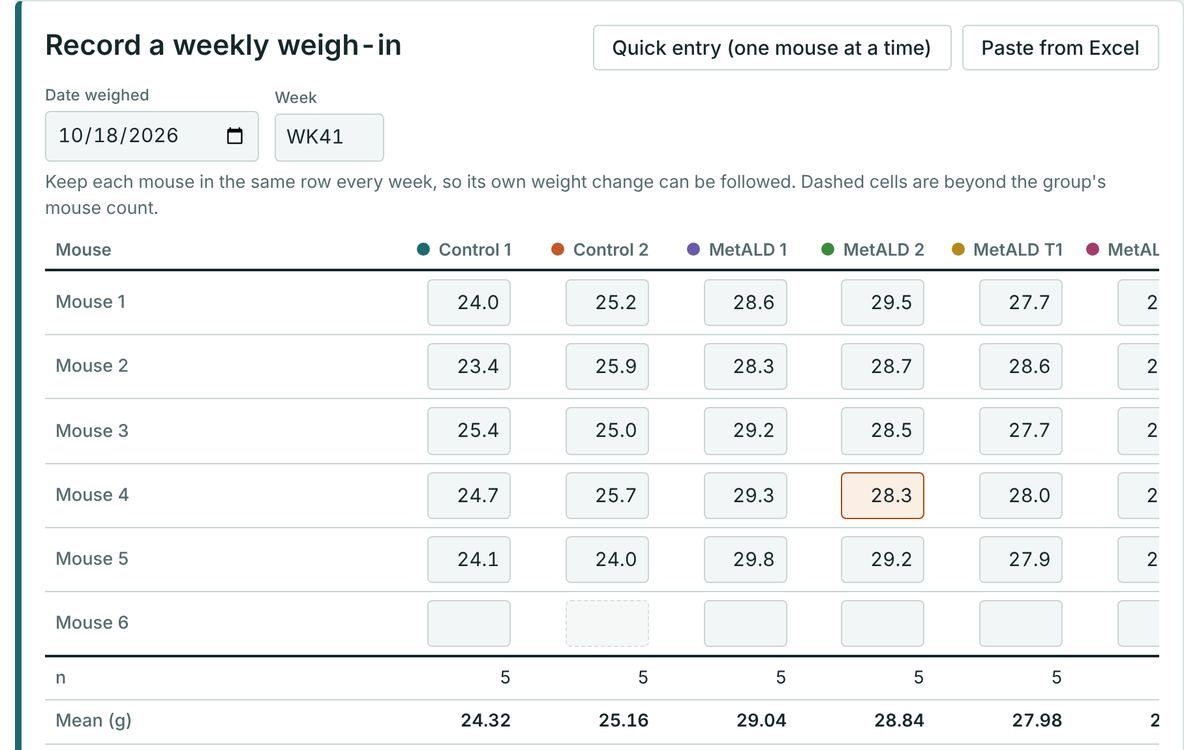
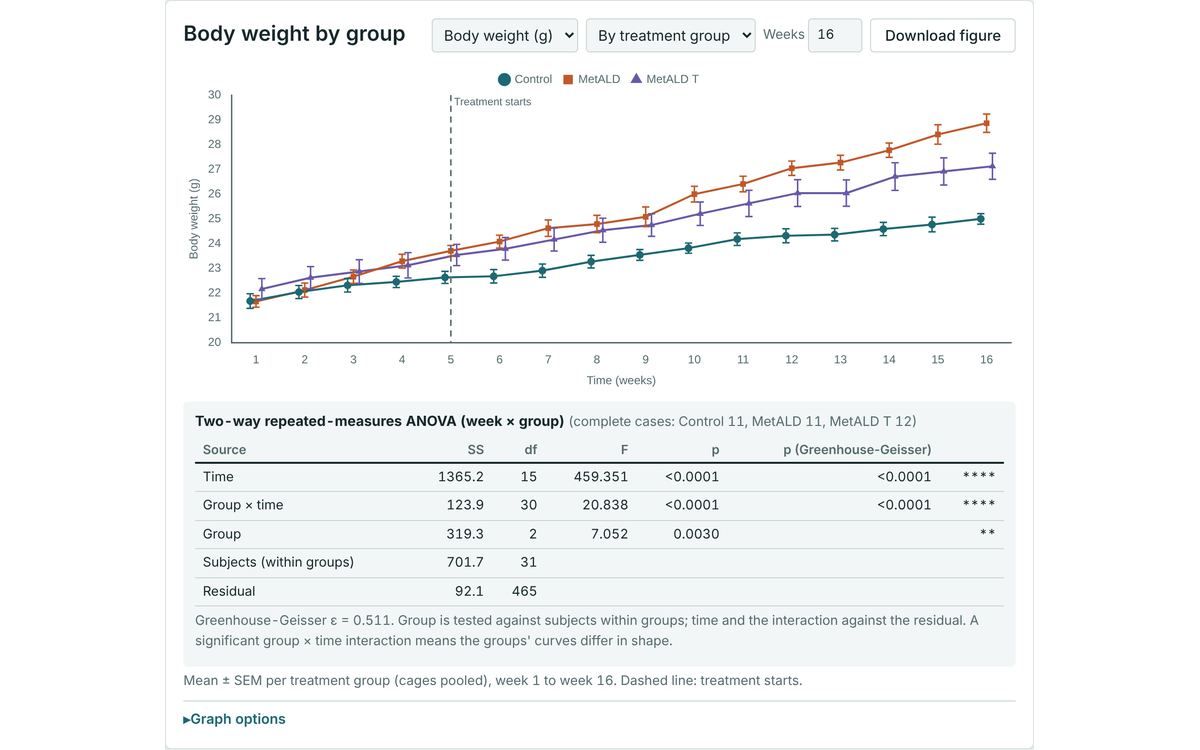
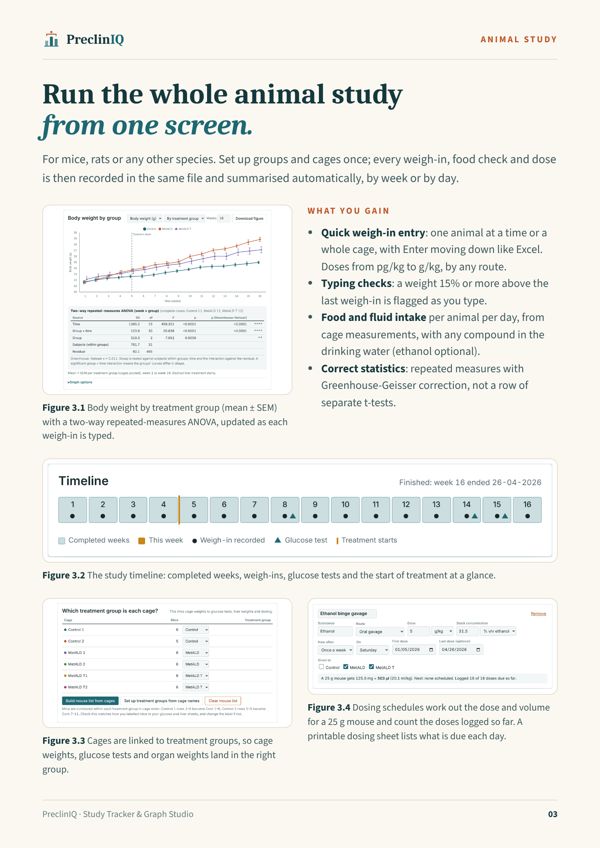
Run the whole animal study from one screen.
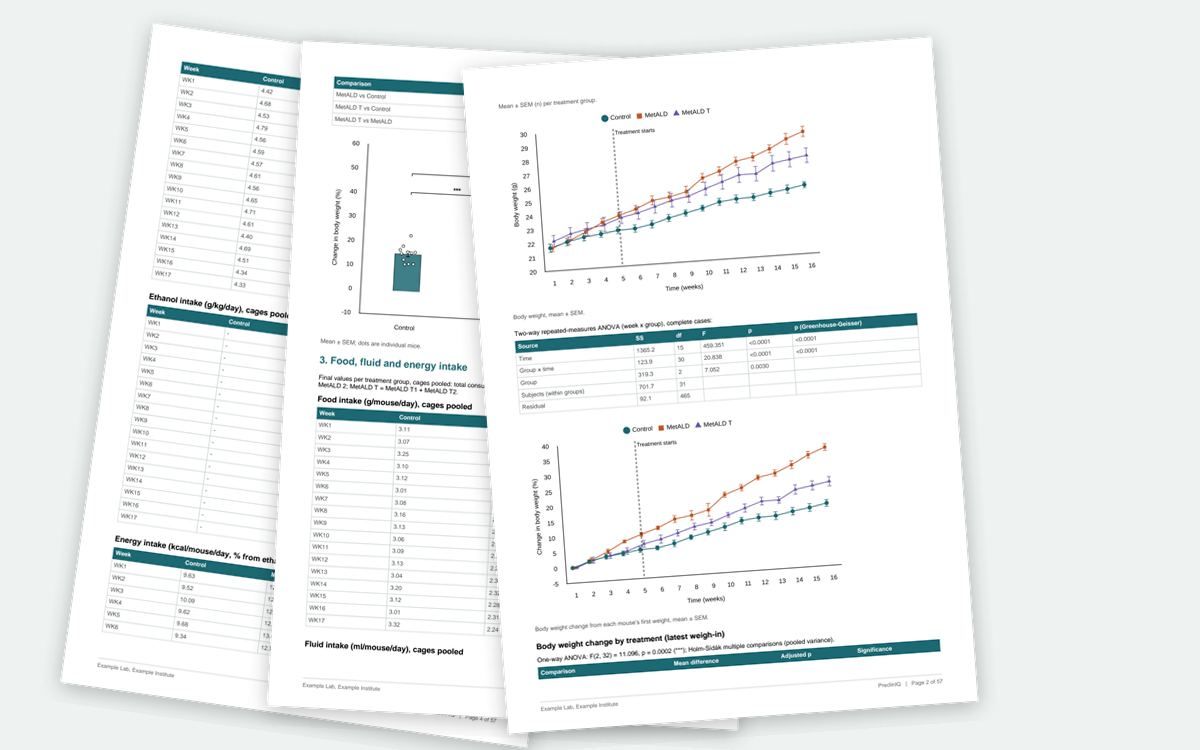
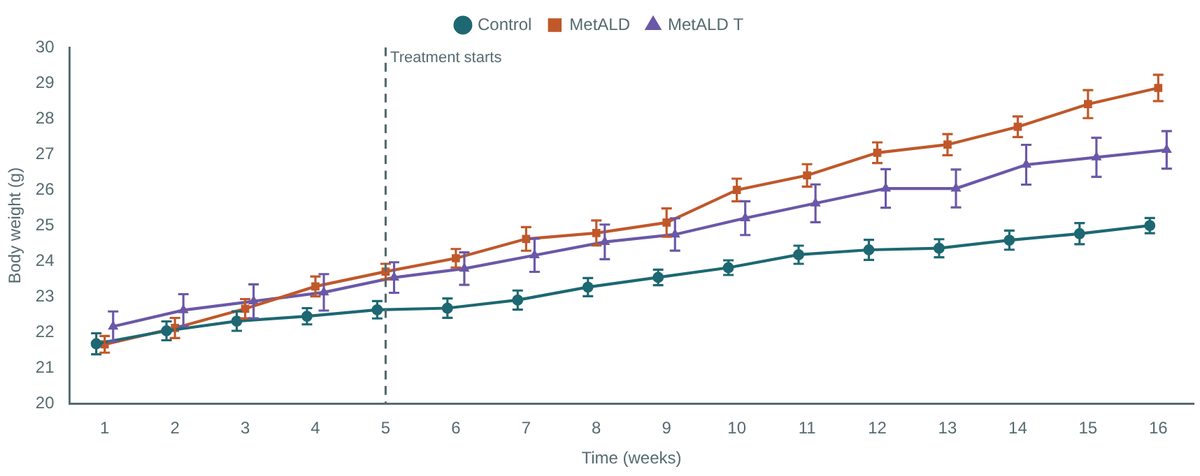
For mice, rats and other species. Set up groups and cages once; every weigh-in, food and fluid check and dose is then recorded in the same file and summarised automatically, by week or day by day.
- Weigh-ins one animal at a time or a whole cage, Excel-style entry
- Food and fluid intake per animal per day, shown by week or by day
- Any compound in the drinking water (ethanol is optional), with intake per kg per day
- Doses from pg/kg to g/kg by any route (oral, i.p., tail vein, ICV and more), with a printable dosing sheet
- Repeated-measures ANOVA with Greenhouse-Geisser correction

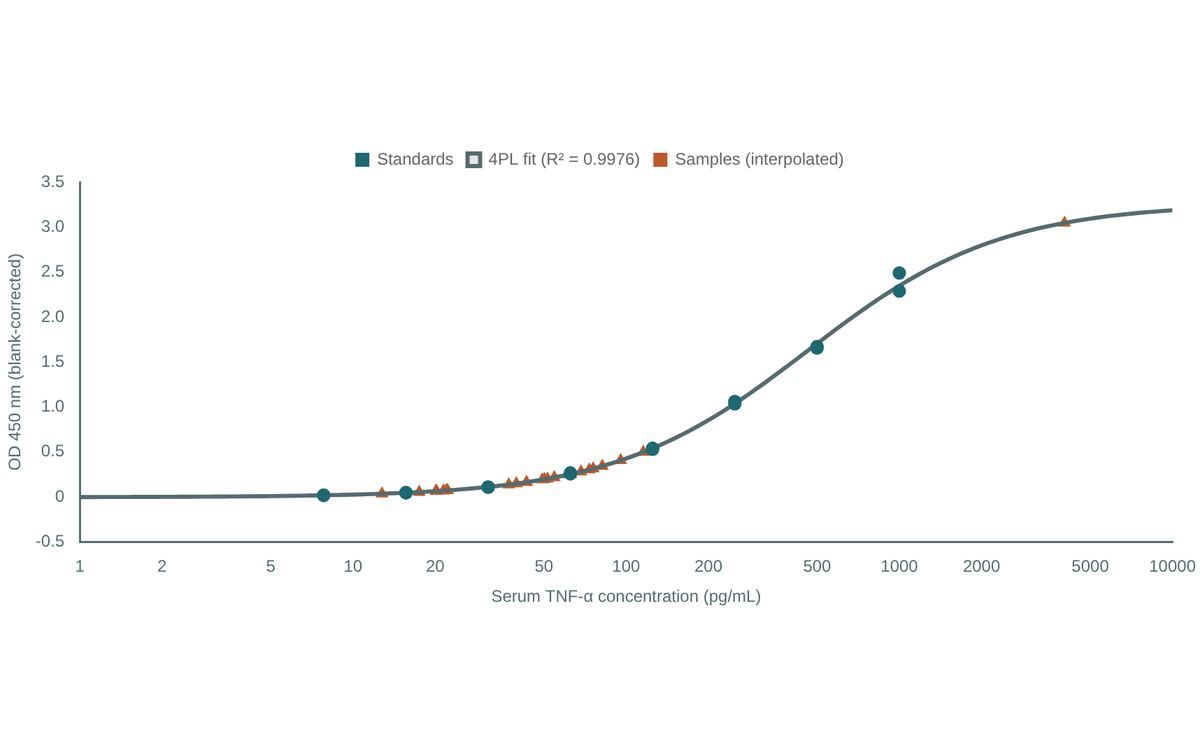
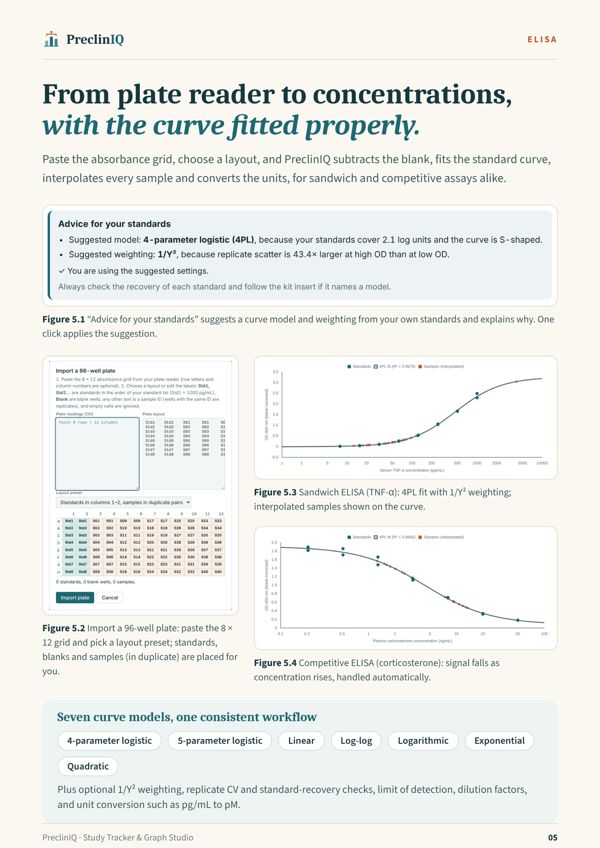
From plate reader to concentrations, with the curve fitted properly.
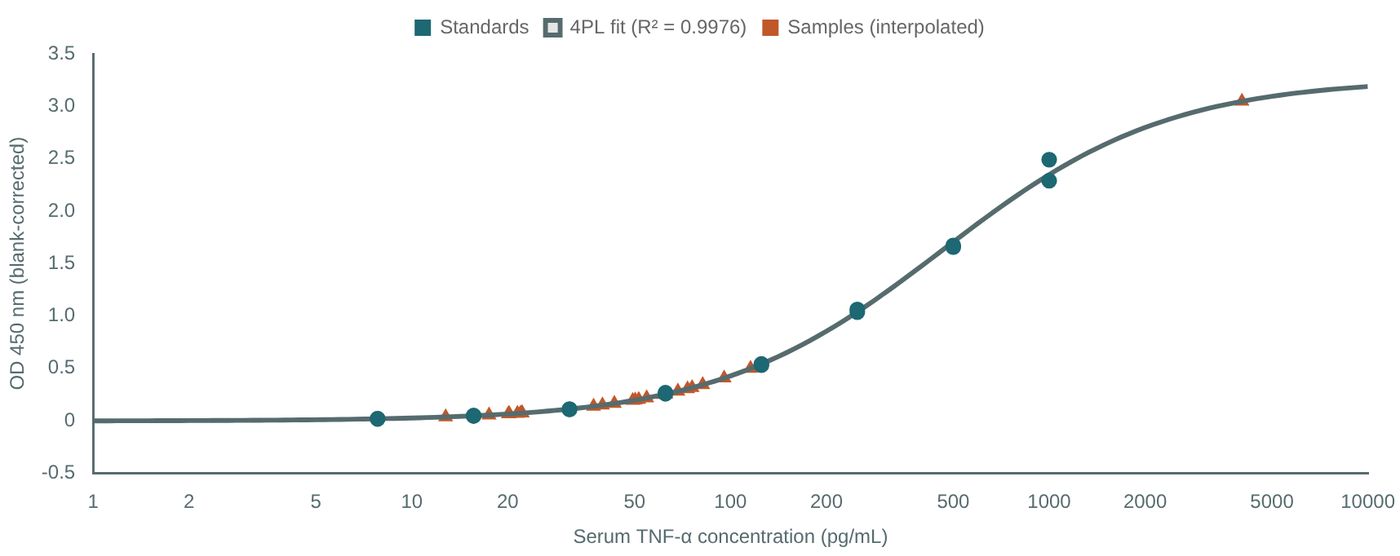
Paste the 8 × 12 absorbance grid, pick a layout, and PreclinIQ subtracts the blank, fits the curve and interpolates every sample, for sandwich and competitive assays.
- 4PL, 5PL, linear, log-log, logarithmic, exponential, quadratic
- Suggested model and weighting, explained, with one click to apply
- Replicate CV, standard recovery, LOD and unit conversion (pg/mL ↔ pM)
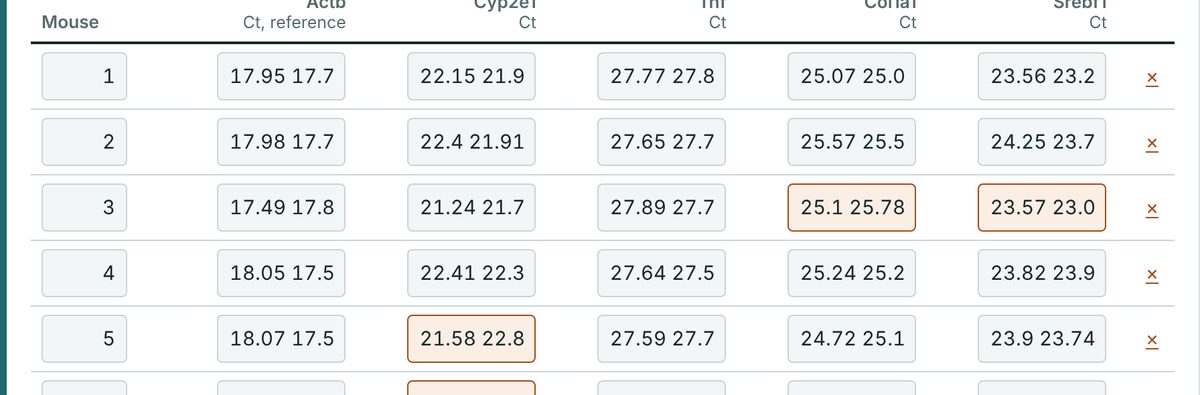
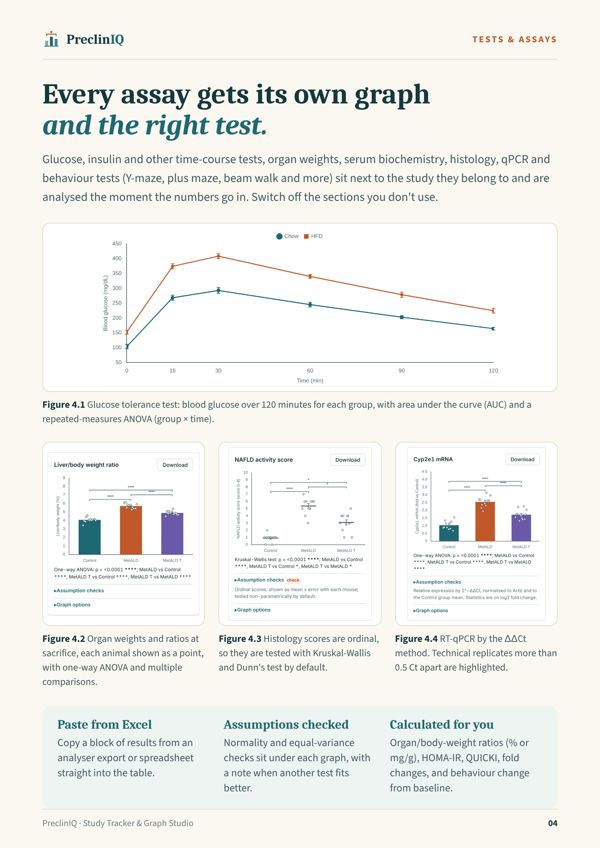
Every assay gets its own graph and the right test.
Glucose, insulin and other time-course tests, organ weights, serum biochemistry, histology scores, RT-qPCR, Western blot densitometry and behaviour tests, analysed the moment the numbers go in. Switch off any section you don't use.
- qPCR by ΔΔCt; replicates more than 0.5 Ct apart are flagged
- Histology scores tested non-parametrically by default
- Behaviour tests: Y-maze, elevated plus and T-maze, beam walk, rotarod, open field and more, compared between groups and against each animal's own baseline
- Organ-to-body-weight ratios (% or mg/g), HOMA-IR, QUICKI and AST/ALT
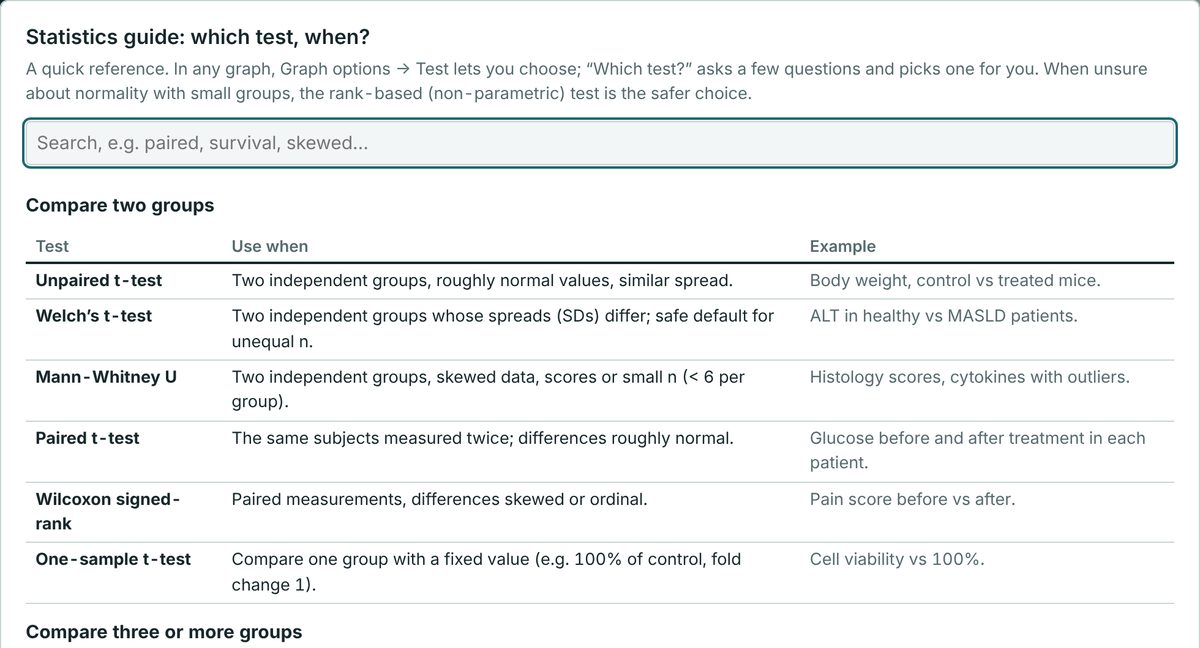
Statistics you can check, and a guide when you are unsure.
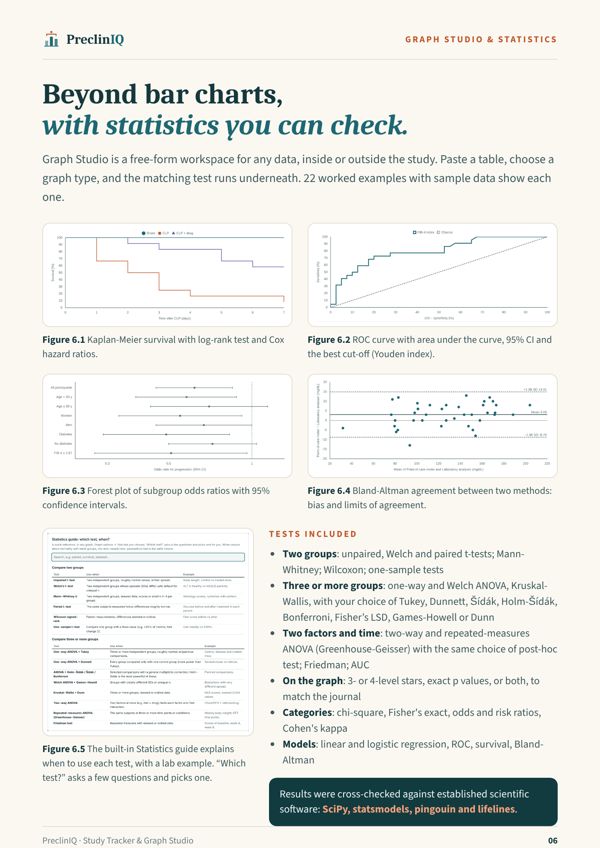
t-tests, one- and two-way ANOVA, repeated measures, non-parametric tests, survival, regression, ROC, kappa and Bland-Altman. A built-in guide explains which test to use, with lab examples.
- Your choice of Tukey, Dunnett, Šídák, Holm-Šídák, Bonferroni or Fisher’s LSD, for one-way, two-way and repeated-measures designs
- 3- or 4-level significance stars, or exact p values
- Assumption checks under every graph
- Cross-checked against SciPy, statsmodels, pingouin and lifelines
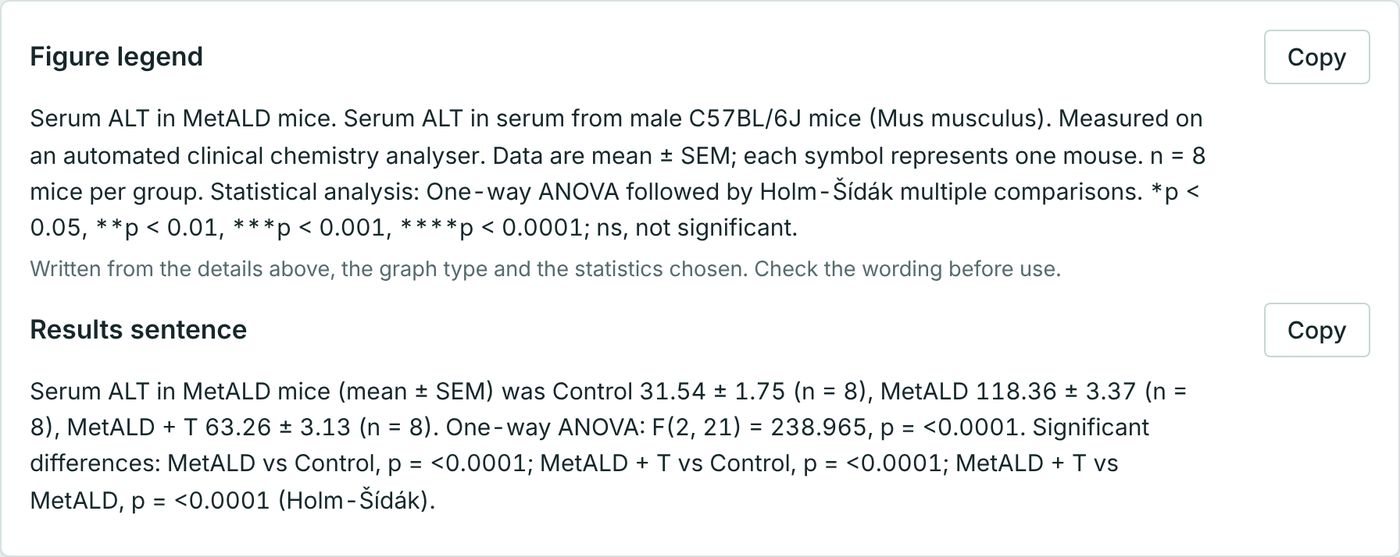
From results to manuscript, without a blank page.
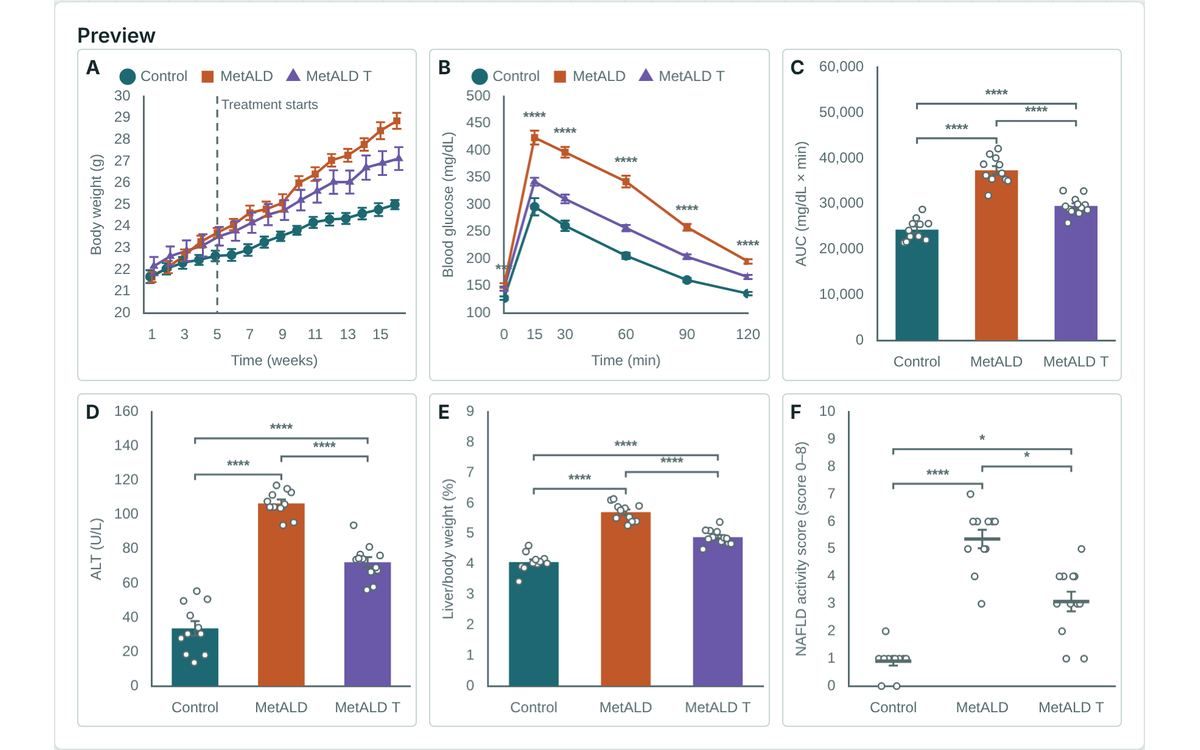
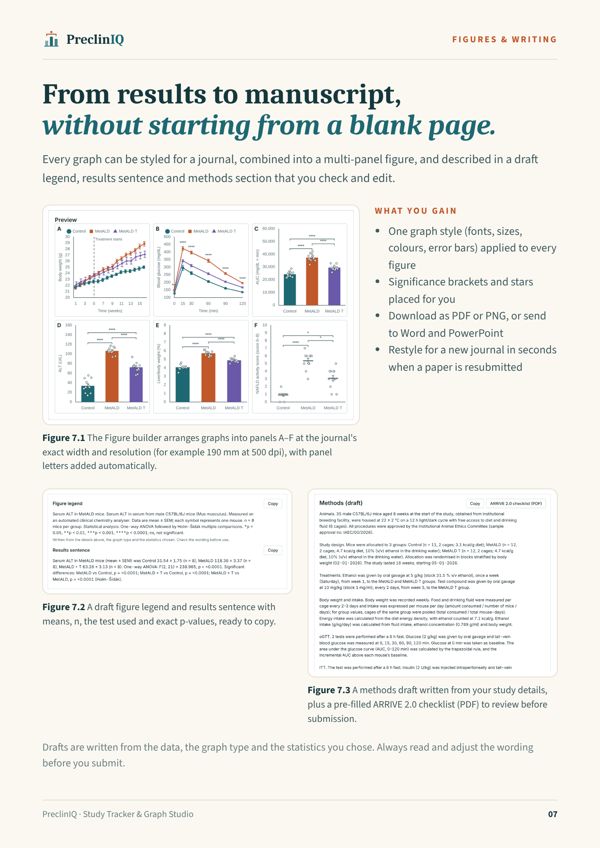
Combine graphs into multi-panel figures at the journal's exact width and resolution, with draft legends, results sentences and a methods section to check and edit.
- One graph style applied to every figure
- ARRIVE 2.0 checklist pre-filled from your study
- Send figures to Word or PowerPoint with their legends
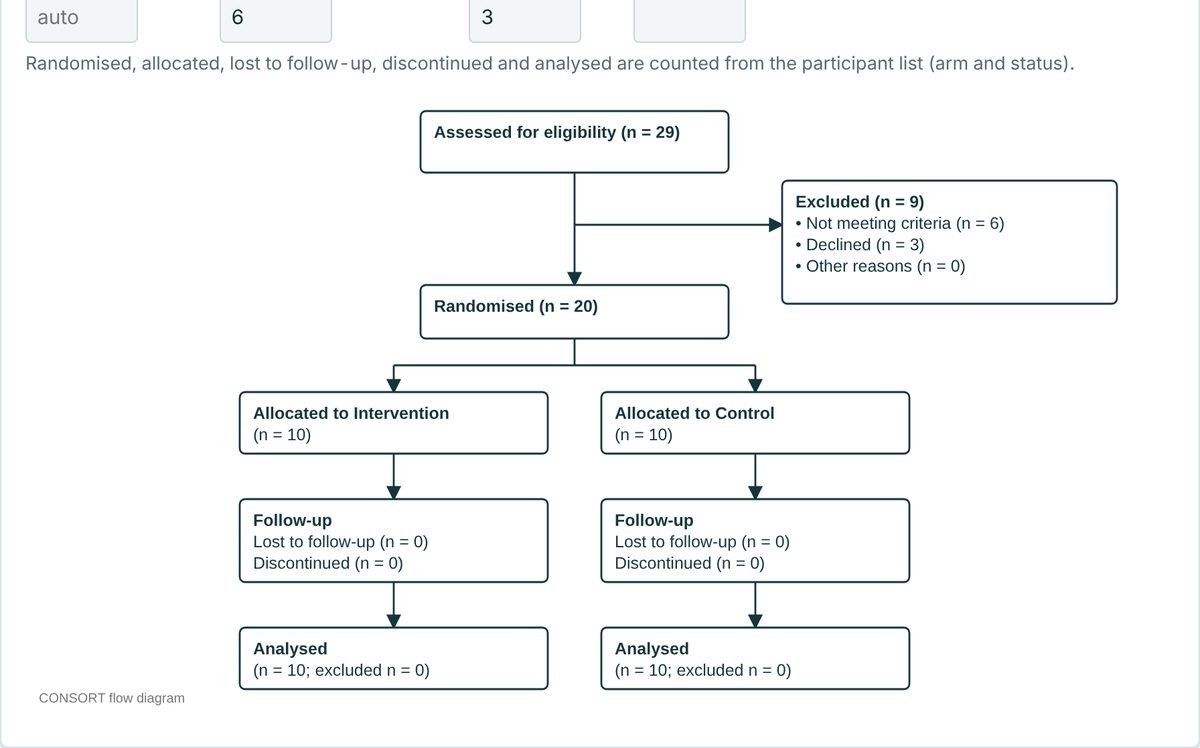
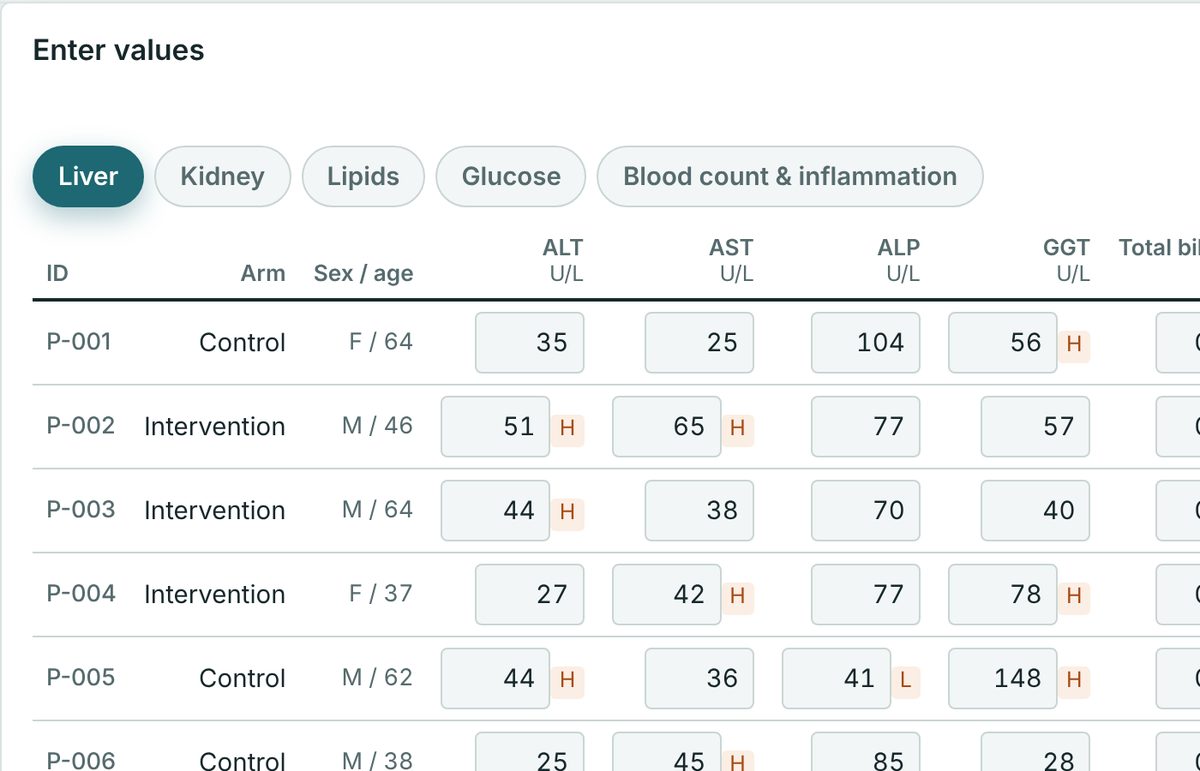
Investigator-led human studies, organised from day one.
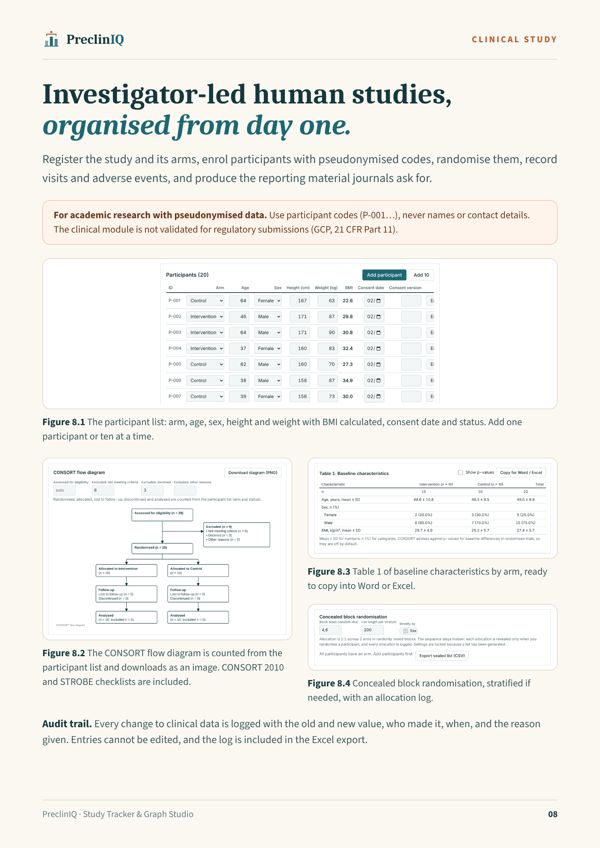
Pseudonymised participants, concealed block randomisation, visits, adverse events and an audit trail, with a CONSORT diagram, Table 1 and clinical lab panels.
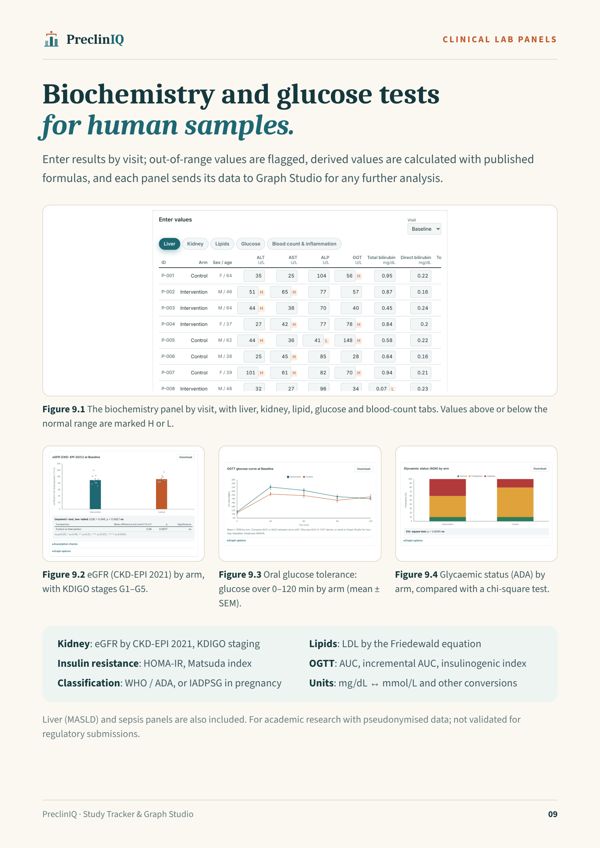
- Biochemistry with eGFR (CKD-EPI 2021), lipids and H/L flags
- OGTT with AUC, iAUC, Matsuda and WHO/ADA or IADPSG classes
- CONSORT 2010 and STROBE checklists
For academic research with pseudonymised data. Not validated for regulatory submissions (GCP / 21 CFR Part 11).
Graph Studio
Beyond bar charts.
Paste any table, choose a graph type, and the matching test runs underneath.
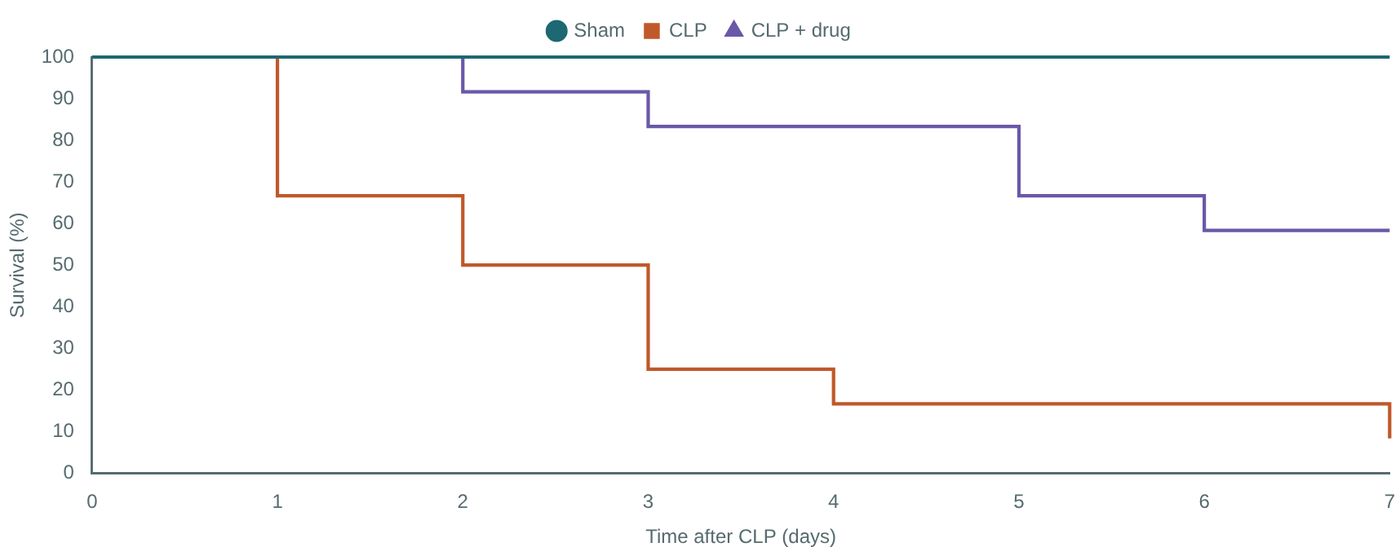
Survival
Kaplan-Meier, log-rank and Cox hazard ratios.
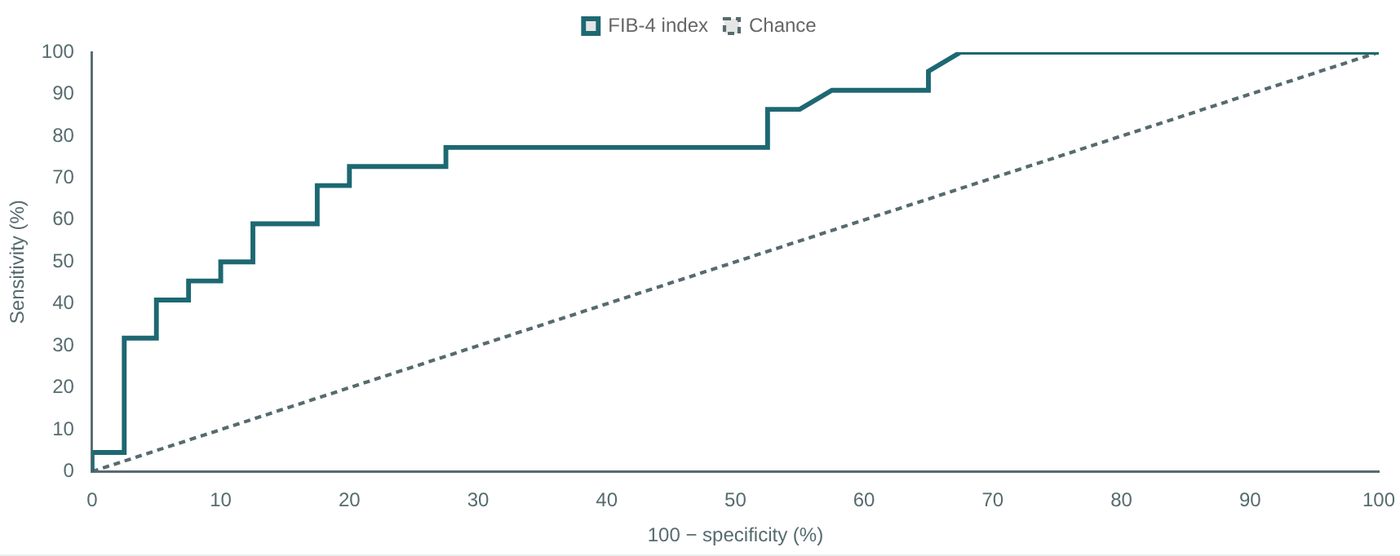
ROC
AUC with 95% CI and the best cut-off (Youden).
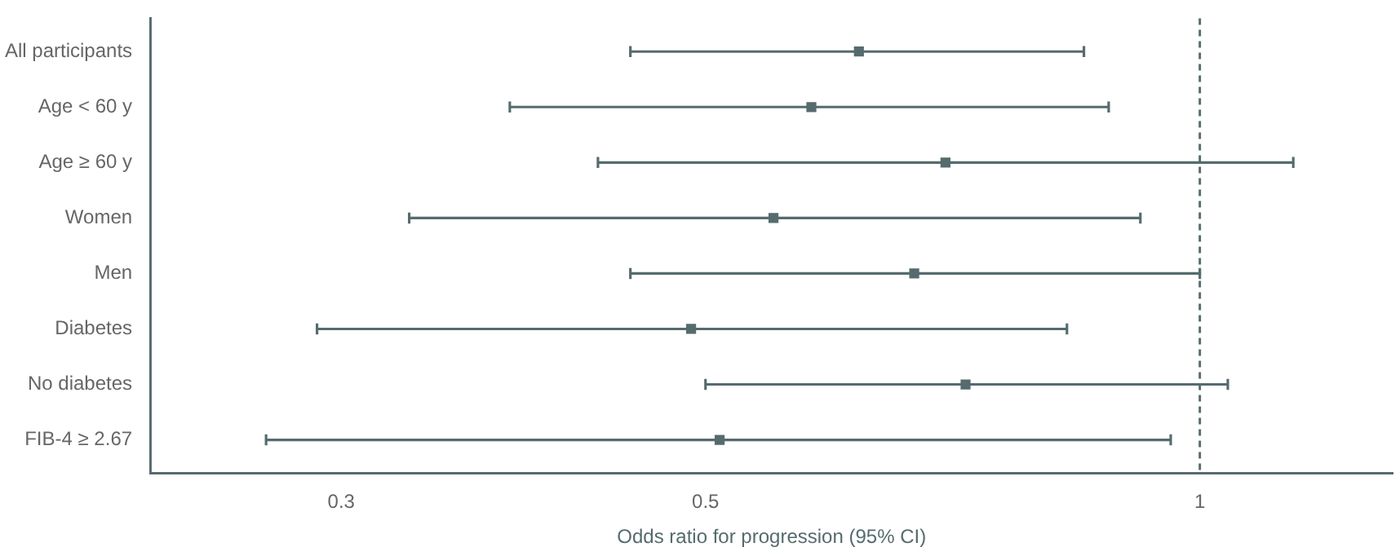
Forest plots
Subgroup odds ratios with confidence intervals.
Phone app · Android
Record in the animal house. Analyse at your desk.
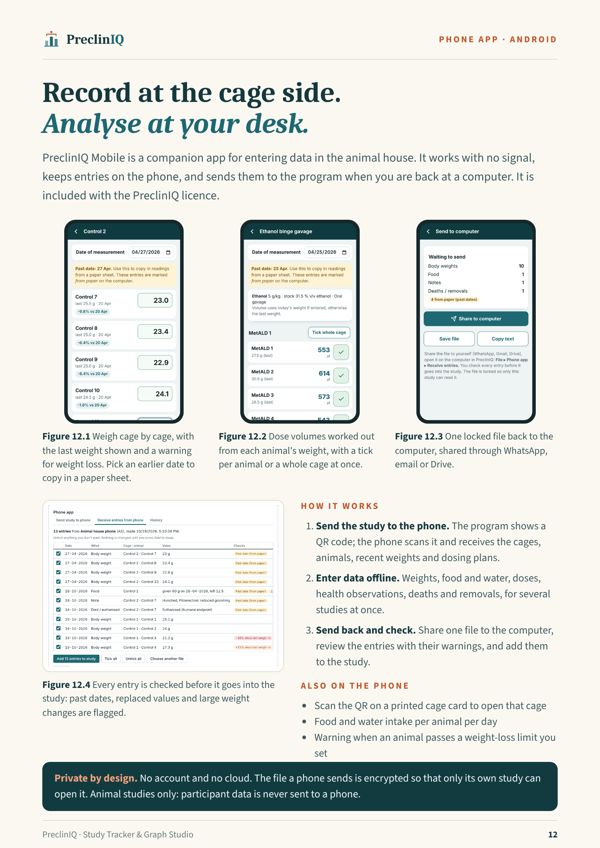
A companion app for entering data at the cage side. It works with no signal and sends everything to the program when you are back at a computer.
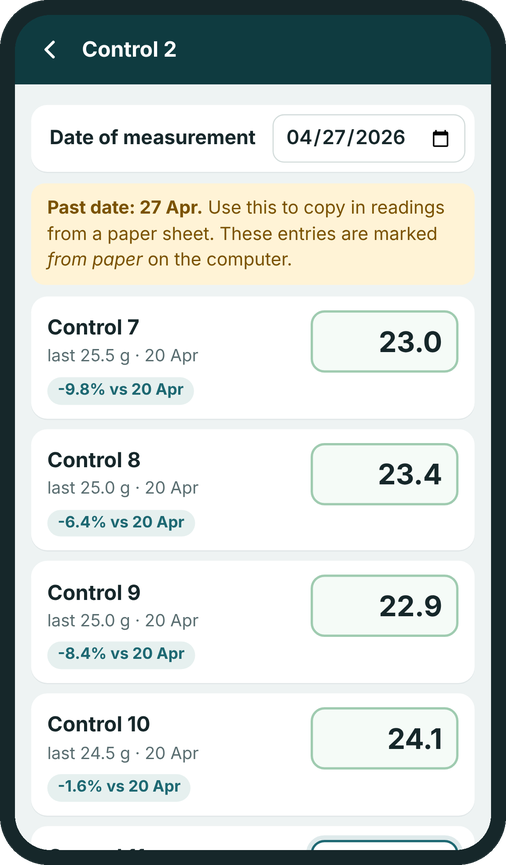
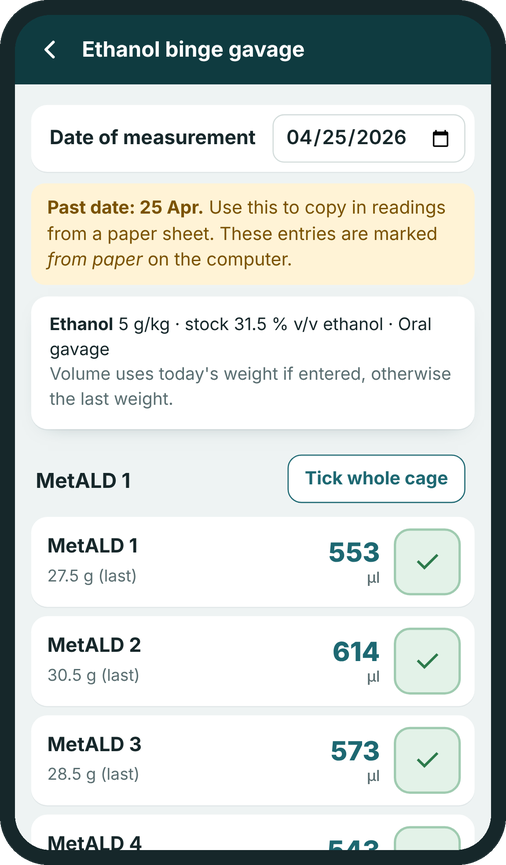
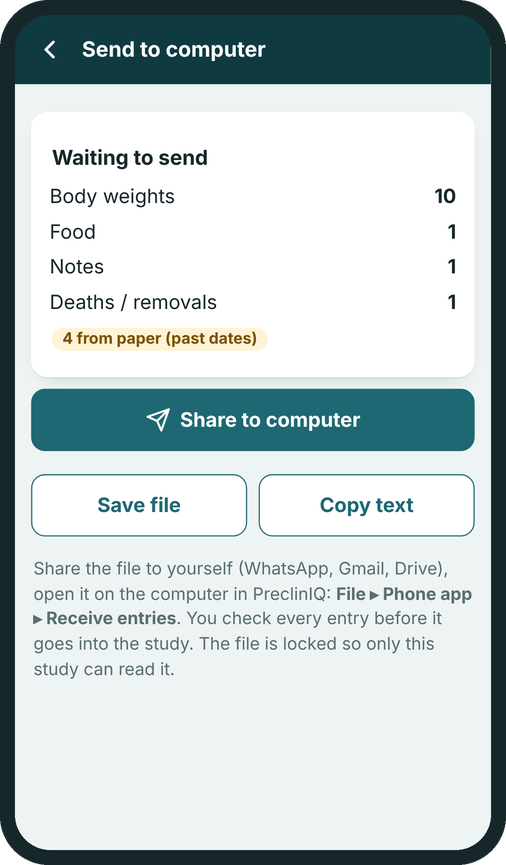
Open the phone appOn an Android phone, open precliniqsoft.com/phone in Chrome and tap Install. Included with PreclinIQ.
Who it is for
Built for the people who run the experiments.
Your data stays yours
No cloud. No uploads. No tracking.
Offline by design
Studies live in one file in a folder you choose, with automatic daily backups.Private
Research files stay on your computer. An account is required for downloads and purchases; account, download and payment records are stored securely. Optional password protection for the study file.Careful with people
Pseudonymised codes, and a warning if a sample ID looks like a person's name.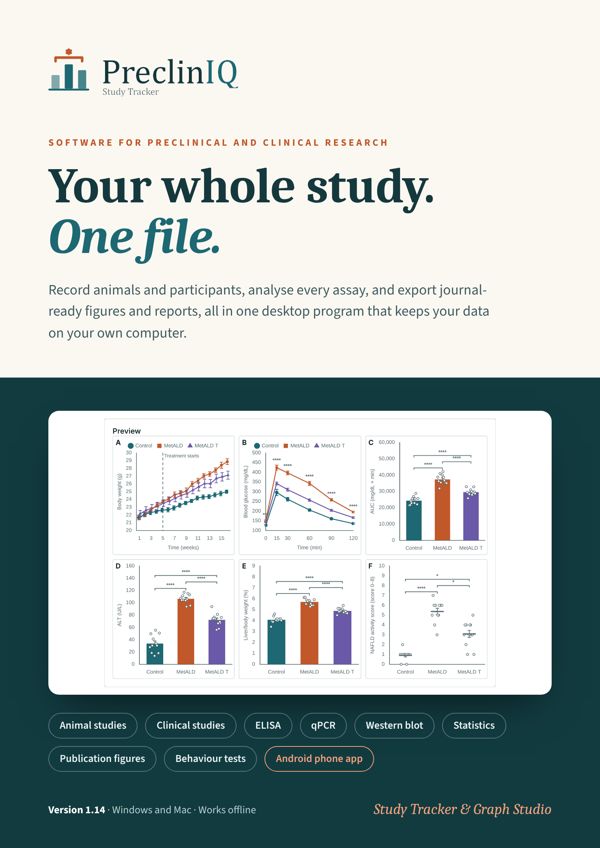 Page 1
 Page 2
 Page 3
 Page 4
 Page 5
 Page 6
 Page 7
 Page 8
 Page 9
 Page 10
 Page 11
 Page 12
 Page 13
Pricing
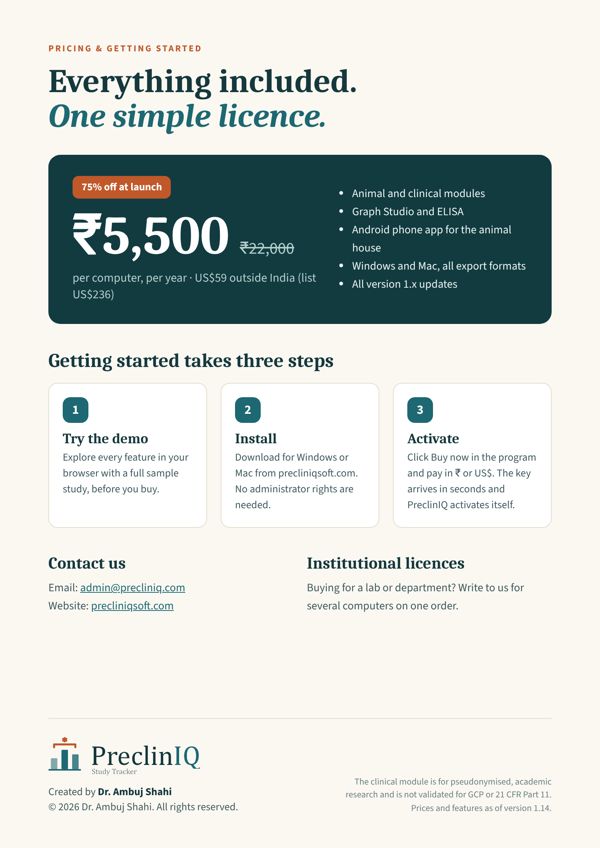
Everything included. One simple licence.
Total for the selected duration. One computer per licence.
- Animal and clinical study modules
- Graph Studio, ELISA and all 30+ tests
- PDF, Excel, Word, PowerPoint and PNG export
- All version 1.x updates and email support
After payment, an administrator will issue your key in your account. See terms of sale and refunds.
Labs and departments
Lab packs for several computers on one quotation, with volume pricing. Proforma invoices and purchase orders welcome. Ask for a quote.
Free 14-day trial
Install PreclinIQ and ask for a trial key: every feature, on your own data, for 14 days.
How activation works
Install PreclinIQ, click Buy now in its Activate window and pay; an administrator issues your key in your account after payment verification. Details.
Download
Get PreclinIQ for Windows or Mac.
Windows
Unzip the folder, run PreclinIQ-Setup-1.14.0.exe and follow the steps. If Windows shows “Windows protected your PC”, click More info, then Run anyway.
Check the download (optional), in Command Prompt: certutil -hashfile PreclinIQ-1.14.0-Windows.zip SHA256
61eb38b6927ab68d605db8302c6b62c72d428e3d91b00cb60f0d1f6aa32c8ece
Mac
Mac with Apple silicon (129 MB) Mac with Intel (134 MB)
Unzip, drag PreclinIQ into Applications and open it. The first time, macOS blocks it because it is not yet signed with an Apple Developer ID: open System Settings ▸ Privacy & Security and click Open Anyway. Not sure which Mac you have? Apple menu ▸ About This Mac shows “Chip: Apple M…” or “Processor: Intel”.
Check the download (optional), in Terminal: shasum -a 256 PreclinIQ-1.14.0-mac-arm64.zip
Apple silicon: 347bf724beb855e8a74400501e48f6fae8894faeeeafe0f231a7943a1db6a118Intel: d75328c7080b596cfe50cd2283933ddbddb35dff857870dedd1bc3f190045525
Phone app (Android)
Included with PreclinIQ. On the Android phone, open precliniqsoft.com/phone in Chrome and tap Install. Open the phone app · How it works
| Windows | Windows 10 or 11, 64-bit |
| Mac | macOS 12 Monterey or later, Apple silicon or Intel |
| Phone | Android 8 or later, Chrome |
| Disk space | About 400 MB |
| Memory | 4 GB RAM or more recommended |
| Installation | Your user account, no admin rights |
| Internet | Only to email the licence request |
FAQ
Questions, answered.
Does my data leave my computer?
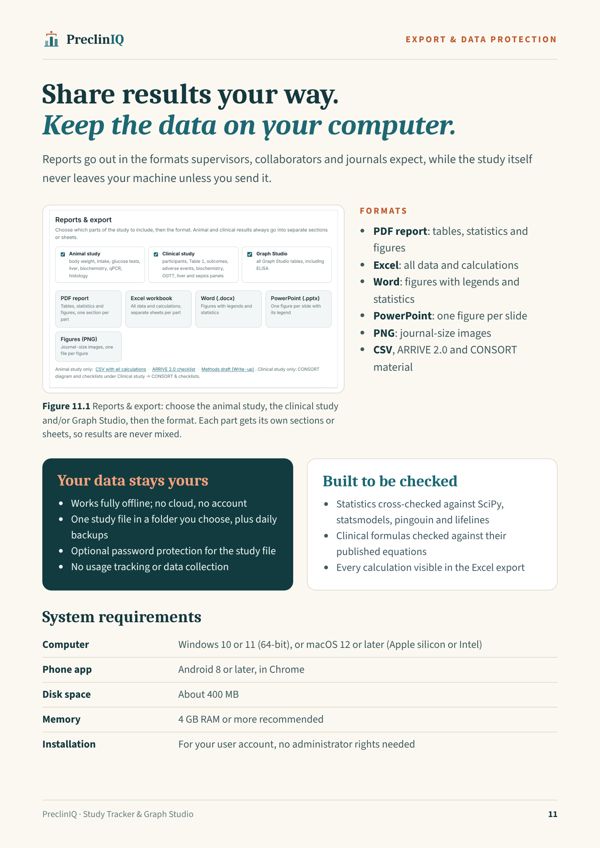
No. PreclinIQ works fully offline. Your study is saved in a file you choose, with daily backups, and nothing is uploaded to a cloud. The only time you need the internet is to email your licence request.
Which computers does it run on?
Windows 10 and 11 (64-bit) and Mac (macOS 12 or later, Apple silicon or Intel). It needs about 400 MB of disk space and installs for your user account, without administrator rights. The phone app runs on Android 8 or later.
Can I try it before buying?
Yes, two ways. Ask for a free 14-day trial key to use every feature on your own data, or open the live demo, which runs in your browser with a complete sample study (animal and clinical) and 22 worked examples. Saving, import and export are in the full version.
How does licensing work?
One licence covers one computer for one year. After you pay, send the licence request from the program; you receive a 12-character key by email. All version 1.x updates are included.
What happens when my licence ends?
PreclinIQ still opens your studies and exports your data. Editing is paused until you enter a renewal key, so you never lose access to your results.
Can I use it for human or clinical samples?
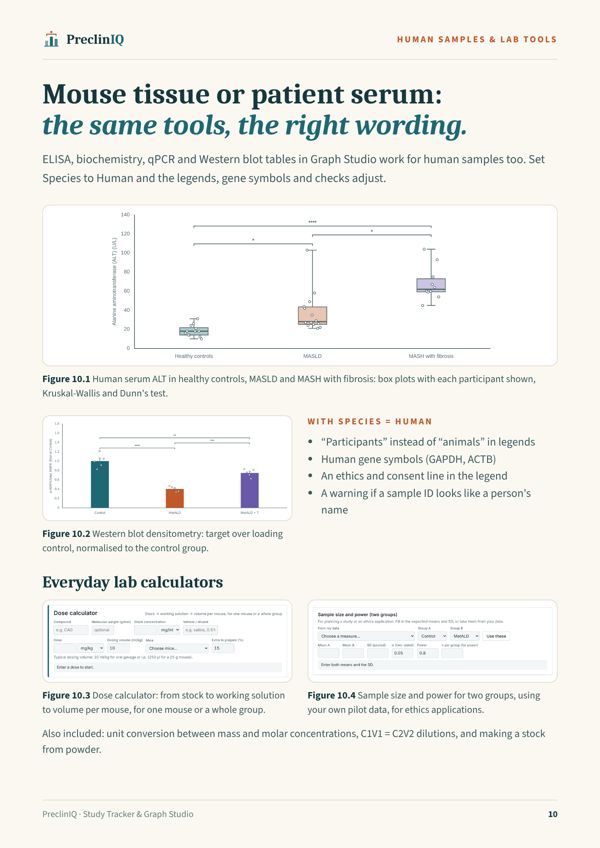
Yes. Graph Studio supports human samples (ELISA, biochemistry, qPCR, Western blot), and the clinical module supports investigator-led studies with pseudonymised participant codes. The clinical module is for academic research and is not validated for regulatory submissions (GCP / 21 CFR Part 11).
Are the statistics reliable?
The statistical tests, ELISA curve fitting and clinical formulas were cross-checked against established scientific software (SciPy, statsmodels, pingouin, lifelines) and against the published equations. As with any software, you remain responsible for choosing appropriate methods and checking results.
Can several people in a lab share a study?
Yes. A study is one file: save a copy and send it, or keep it in a shared folder, and colleagues open it in their own PreclinIQ. Each computer needs its own licence.
Can my institute pay by invoice?
Yes. Contact us for a quotation or proforma invoice for one or more computers.
Windows says “Windows protected your PC”. Is it safe?
This message appears for programs that are not yet code-signed. Click “More info”, then “Run anyway”. You can check the download is intact with the SHA-256 checksum on this page.
Contact
Talk to us.
Licences, institutional quotations, support, feedback and feature requests.
Email: admin@precliniq.com